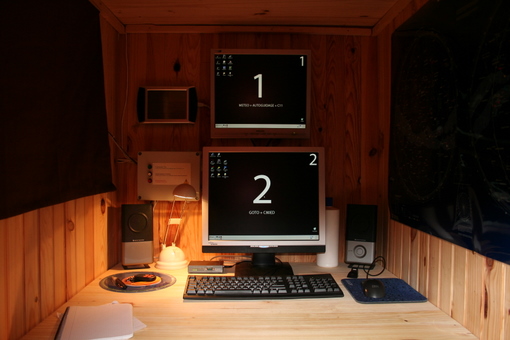
My Dual-PC Setup: One Keyboard, One Mouse, One Screen!
Upgrading My Observatory Control: From Single Screen Struggles to Dual-Monitor Bliss
When I’m connecting to the observatory PCs from home for remote control, I fire up two Teamviewer sessions and display each PC’s screen side-by-side on my dual-monitor setup. It’s super comfortable and makes managing everything a breeze.
However, until recently, when I was physically at the observatory, I was stuck with a tiny 19-inch screen. This meant constantly switching between sessions, especially when I needed to check the autoguiding quality (a crucial step!). It wasn’t exactly ideal.
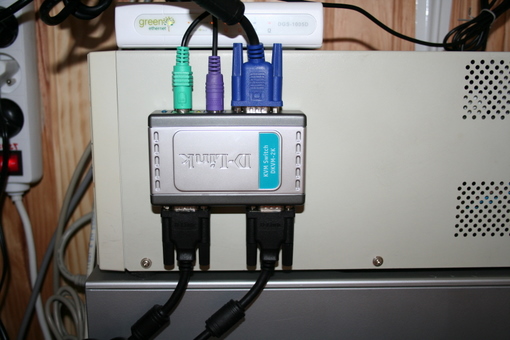
So, I decided to install a small D-Link KVM switch. Now, I can quickly jump between PCs with a simple hotkey combo on the keyboard, and all without the latency inherent to Teamviewer and the local network. It’s a fantastic, low-cost solution that I highly recommend if you’re in a similar situation!
EDIT 2009/08/21: As it turns out, a KVM for a keyboard and mouse is awesome for managing two PCs. But a second screen was seriously missing from the equation! Good thing I had a 17” LCD gathering dust in the attic… After removing its stand and rigging up a picture frame mount, my new screen found its perfect spot right above the first one. Now, that’s what I call truly comfortable!